
If your week involves copying data between apps or writing the same follow-up email over and over, you’ve probably started searching for the best Flow AI tools to take that work off your plate. Flow AI automation connects your apps into a single automated sequence and hands off the parts that used to need a human decision — without writing a line of code.
Here’s something worth knowing upfront: “Flow AI” isn’t one single company. It’s become a common name for a category of AI-powered workflow tools – including Picsart Flow, FlowAI.cc, BitFlows, and AI-Flow – alongside established automation platforms like n8n and Zapier that have added AI features. This article breaks down how Flow AI automation works, compares the best Flow AI options available, and helps you decide which one fits your workflow.
What Makes a Tool One of the Best Flow AI Options?
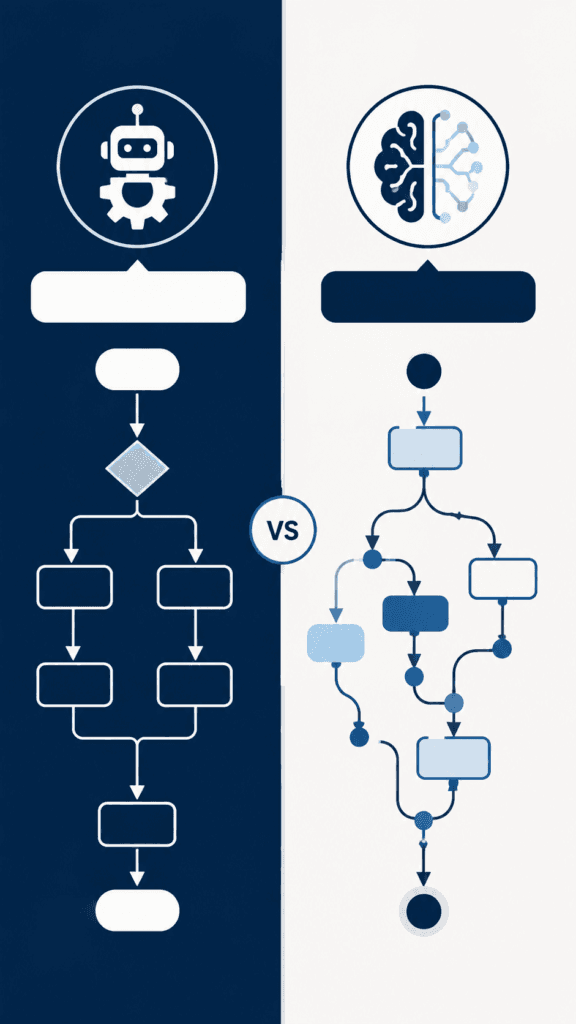
Traditional automation runs on fixed logic: a trigger happens, a set action follows, and no interpretation is involved. The best Flow AI tools add a reasoning layer on top of that. Instead of only reacting to exact triggers, they read unstructured input — an email, a form response, a support ticket — and decide what to do with it, the way a person would.
That’s the practical difference. A standard automation needs every scenario mapped out in advance. A strong Flow AI tool can handle situations you didn’t explicitly plan for because a language model is doing part of the thinking inside the workflow.
How Flow AI Automation Works, Step by Step
Most tools in this category follow a similar structure, whether you’re using a dedicated Flow AI product or an automation platform with AI steps added in.
Step 1: A Trigger Starts the Workflow
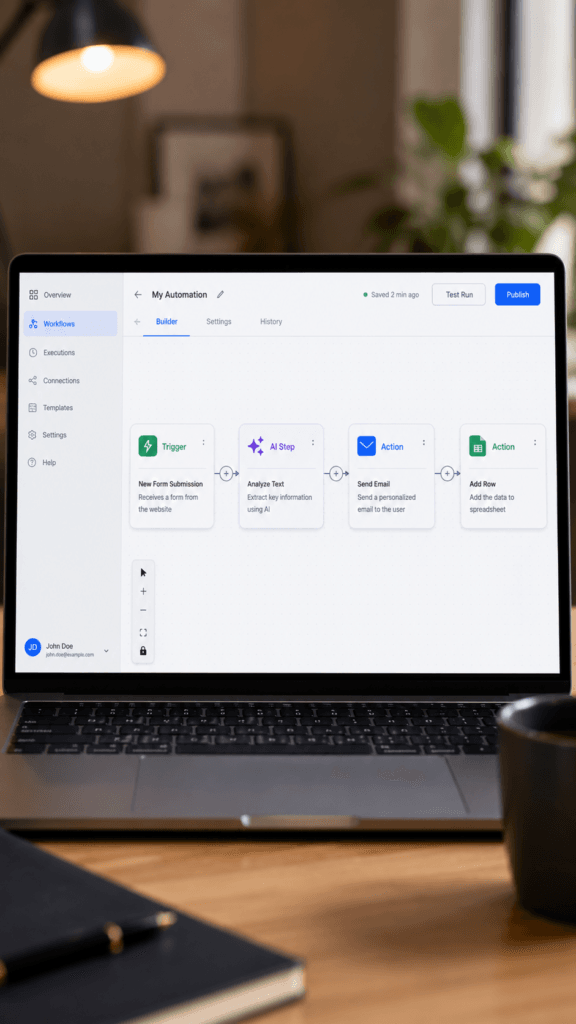
This is the event that kicks everything off — a new form submission, an incoming email, a new spreadsheet row, or a scheduled time.
Step 2: Data Enters the No-Code Canvas
Most platforms use a visual, drag-and-drop canvas, so you’re arranging your workflow as connected boxes rather than writing scripts. This is the “without code” part of Flow AI automation.
Step 3: An AI Step Processes the information.
This is the core of Flow AI automation. The tool sends relevant data to an AI model — commonly from providers like OpenAI, Google, or Anthropic — with instructions on what to do: summarise a document, draft a reply, extract key details, or decide which path the workflow should take.
Step 4: Conditional Logic Routes the Outcome
Based on what the AI step produces, the workflow branches. A message classified as a support issue might route to your helpdesk; one classified as a sales inquiry might land in your CRM instead.
Step 5: The Workflow Completes an Action
The final step does something concrete — sends a message, updates a record, creates a task, or notifies a team member.
Step 6: You Review, Adjust, and Reuse
Once built, the workflow runs on its own. Most platforms let you monitor runs, catch errors, and refine the AI instructions as you see how it performs on real input.
The Best Flow AI Tools Compared
| Tool | Best For | Price | Key Feature | Main Limitation |
| n8n | Developers and technical teams | Free self-hosted, paid cloud tiers | Deep customization, AI nodes | Steeper learning curve |
| Zapier | Beginners wanting the widest app support | Free tier; paid plans scale with usage | Massive app library | Can get expensive at scale |
| Make | Users needing complex, branching workflows | Free tier; paid plans by operations | Visual, powerful branching logic | An interface has a learning curve |
| Active pieces | Teams wanting an open-source, AI-first option | Free self-hosted, paid cloud option | Built around AI from the ground up | Smaller app ecosystem |
For exact current pricing, always check each platform’s official page, since plans change often. n8n official website Zapier official website
If you’re weighing a broader set of options beyond automation specifically, it’s worth checking the Best AI Image Generators for Business Branding in 2026: Midjourney vs Ideogram vs ChatGPT Images before settling on one platform.
Who Should Use One of the Best Flow AI Tools
- Solo creators and freelancers juggling client communication, content, and admin without a team
- Small business owners who want faster customer responses without hiring
- Marketing teams handling repetitive content or lead-qualification work
- Anyone already using Zapier or Make who wants to add AI decision-making
Who Should Be Cautious
- Businesses in regulated industries (healthcare, finance, legal) where AI output needs strict human review
- Teams handling sensitive customer data, who should check a tool’s data handling policy before connecting it
- Anyone expecting zero oversight — AI steps can still make mistakes, so periodic review matters
Common Mistakes to Avoid
- Automating a broken process. Automation just makes unclear steps break faster.
- Giving the AI step vague instructions. Specific prompts produce more consistent output.
- Skipping a test phase. Run new workflows on sample data first.
- Ignoring error handling. Build a fallback for when the AI step fails.
- Trying to automate everything at once. Start with one task, then expand.
Our Verdict on the Best Flow AI Option for You
There isn’t a single best flow AI tool for everyone — it depends on your comfort level and how deep you need to go. Zapier is the easiest starting point if you want the widest app support with minimal setup. n8n suits anyone comfortable with more technical customisation. Make fits well when your workflows involve complex branching. Whichever you pick, start with one recurring headache, automate that first, and expand once you trust the results.
FAQ
What is the best Flow AI tool overall? There isn’t a single winner for every situation. Zapier is generally easiest for beginners, n8n offers the most customisation for technical users, and Make handles complex branching workflows well.
Is Flow AI one specific app? No. It’s a general category name used by several different tools, including Picsart Flow and FlowAI. cc, Bit Flows, and AI-Flow, alongside broader platforms like n8n and Zapier that added AI features.
Do I need coding skills to use Flow AI automation? No. Most platforms are built around a visual, drag-and-drop canvas designed for non-developers.
Is Flow AI automation safe for customer data? It can be, but always review a specific tool’s privacy policy before connecting sensitive information, especially in regulated industries.
Can Flow AI automation fully replace manual work? Not entirely. It’s best for repetitive, judgement-based tasks, but human review still matters for customer-facing or high-stakes work.
How is Flow AI automation different from Zapier or Make? Zapier and Make are established platforms that added AI features over time. Dedicated Flow AI tools are often built with AI reasoning as the core feature from day one, though the line between the two is increasingly blurry.
Is Flow AI automation good for beginners? Yes, most tools include templates and beginner-friendly interfaces. Start with one simple workflow before building anything complex.
CONCLUSION
The best Flow AI tool for you depends less on hype and more on what you actually need automated. If you’re spending hours each week on work that follows a pattern but still needs judgement calls, this category is worth testing. Zapier suits beginners wanting the widest app support, n8n suits technical users who want flexibility, and Make suits complex, branching workflows. One real limitation to keep in mind: AI steps can still make mistakes, so build in a review habit rather than fully automating anything customer-facing on day one. Start small, automate one task, and expand from there.
